
Pure OpenStreetMap data, ready for analytics
Cadence Maps is a query-ready OpenStreetMap data distribution service. It is a community-first, pure-OSM, transparent provenance, open data product designed to lower the barrier to map making, geo-processing and location grounding for AI systems.
OpenStreetMap (OSM) is the reference open geospatial dataset for many mapping, mobility and transport, tourism, urban planning, emergency response, humanitarian, GIS and research, e.g. with a rich and diverse collection of points of interest (POI). However, using raw OSM data usually demands preprocessing and specialist knowledge. What is needed is OSM data organized into a layered structure with easy-to-handle categories and distributed in a cloud-optimized format.
Cadence Maps provides this in the GeoParquet format based on the well-known “OpenStreetMap Data in Layered GIS Formats” by Geofabrik (kudos!).
To use Cadence Maps data with common tools skip following chapter. To get the data see the chapter Dataset below.
More about Cadence Maps
The goal of this experiment is to gain experience with shared infrastructures and modern data lakehouse architectures (e.g. object storage). It currently covers Germany, Austria, Switzerland and Liechtenstein (“D-A-CH”) but is designed to scale to the whole world.
Weekly updates of the Cadence Maps dataset are planned for a future release. Cadence Maps follows the best practices to distribute GeoParquet (see OGC), except for the “STAC Metadata” which is also planned for a future release. There are also plans to add validation that complements OSM’s established community quality-assurance processes.
There exists a similar project, LayerCake, by OpenStreetMap US. LayerCake is also community-first and pure-OSM and offers the layers buildings, highways, boundaries, settlements and parks - but no POI layer yet. Then there is Overture Maps (OM), which was founded by some big tech companies. OM relies heavily on OSM. However, openness of their software, participation, validation feedback and attribution remain marginal, even though their map data is open.
Using Cadence Maps
An increasing number of tools support GeoParquet. Here, we’ll demonstrate two options, one using DuckDB and one using QGIS.
Using Cadence Maps with DuckDB
Geoparquet files can be queried directly using DuckDB from this service using range queries. This means that you will not have to download the whole data, just query the area you are interested in. As an example:
INSTALL httpfs;
LOAD httpfs;
SELECT *
  FROM read_parquet('https://cadencemaps.infs.ch/data/buildings_a.parquet')
  WHERE bbox.xmin <= 8.817177 + 0.001856
    AND bbox.xmax >= 8.817177 - 0.001856
    AND bbox.ymin <= 47.223250 + 0.001245
    AND bbox.ymax >= 47.223250 - 0.001245
    AND type = 'university';
This query selects all the OSM data within the bounding box (bbox) that you can define using a tool such as the free online bboxfinder.com, as shown below:
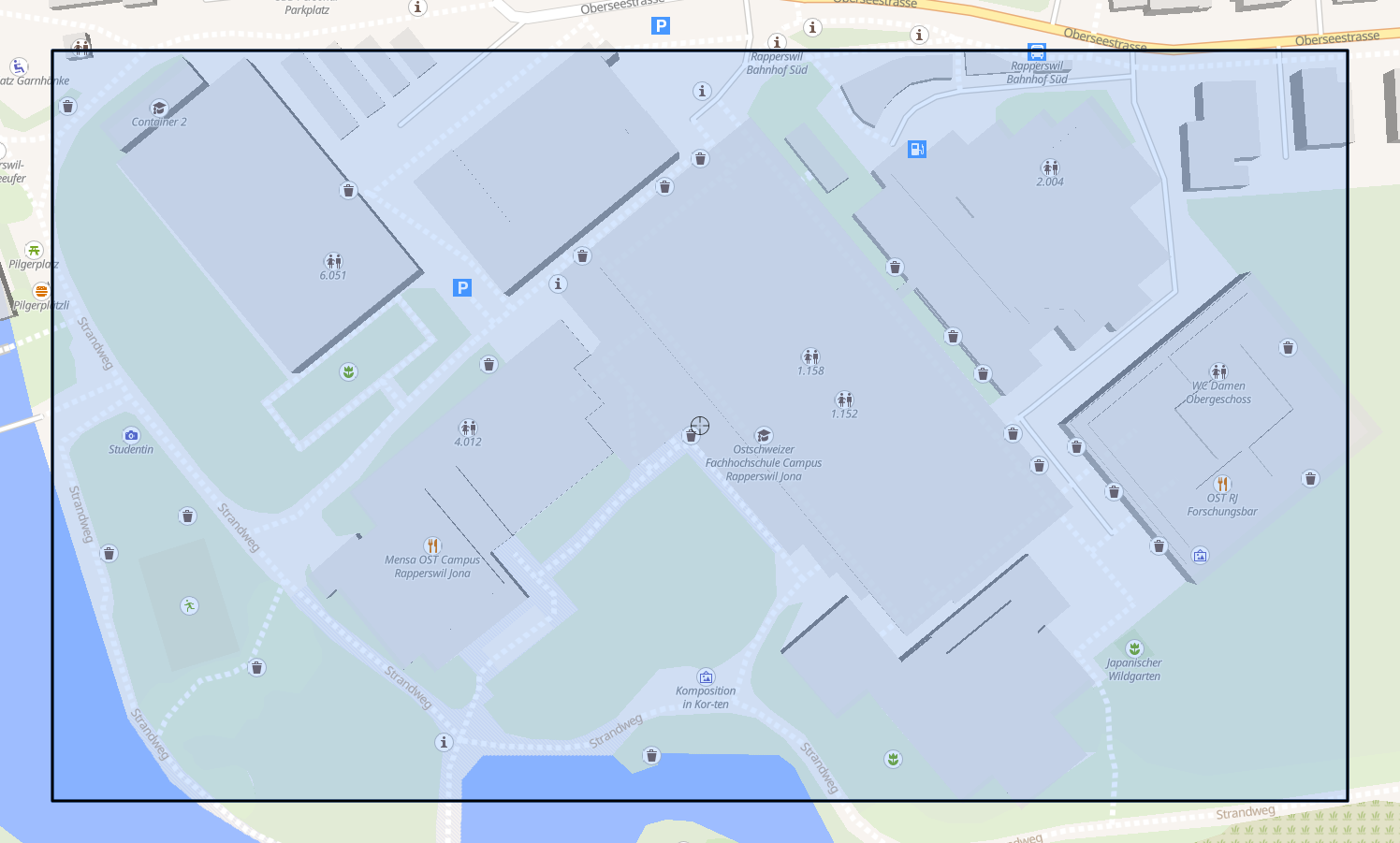
… and returns all the buildings belonging to the campus Rapperswil of the OST university in Switzerland:
┌───────────┬───────┬──────────┬──────────────────┬────────────┬──────────────────────┬──────────────────────────────────────┐
│  osm_id   │ code  │  fclass  │       name       │    type    │       geometry       │                 bbox                 │
│  varchar  │ int32 │ varchar  │      varchar     │  varchar   │         blob         │ struct(xmin double, ymin double, x…  │
├───────────┼───────┼──────────┼──────────────────┼────────────┼──────────────────────┼──────────────────────────────────────┤
│ 391367526 │  1500 │ building │ OST RJ Gebäude 8 │ university │ \x01\x03\x00\x00\x…  │ {'xmin': 8.8181999, 'ymin': 47.222…  │
│ 34754484  │  1500 │ building │ OST RJ Gebäude 4 │ university │ \x01\x03\x00\x00\x…  │ {'xmin': 8.8160655, 'ymin': 47.222…  │
│ 34754485  │  1500 │ building │ OST RJ Gebäude 6 │ university │ \x01\x03\x00\x00\x…  │ {'xmin': 8.8155424, 'ymin': 47.223…  │
│ 42736527  │  1500 │ building │ Container 2      │ university │ \x01\x03\x00\x00\x…  │ {'xmin': 8.8154822, 'ymin': 47.223…  │
│ 34754487  │  1500 │ building │ OST RJ Gebäude 5 │ university │ \x01\x03\x00\x00\x…  │ {'xmin': 8.8163777, 'ymin': 47.223…  │
│ 64026641  │  1500 │ building │ OST RJ Gebäude 2 │ university │ \x01\x03\x00\x00\x…  │ {'xmin': 8.817585, 'ymin': 47.2233…  │
│ 700934047 │  1500 │ building │ OST RJ Gebäude 1 │ university │ \x01\x03\x00\x00\x…  │ {'xmin': 8.8168928, 'ymin': 47.222…  │
│ 34754482  │  1500 │ building │ OST RJ Gebäude 3 │ university │ \x01\x03\x00\x00\x…  │ {'xmin': 8.8174067, 'ymin': 47.222…  │
└───────────┴───────┴──────────┴──────────────────┴────────────┴──────────────────────┴──────────────────────────────────────┘
Using Cadence Maps with QGIS Desktop
Assuming that QGIS Desktop has been started:
- Install the Plugin ‘GeoParquet Downloader’.
- Navigate your viewport to the part of the data you want to download.
- Click on the new button in your plugins toolbar:

- Use a custom URL. Enter one of the URLs of the files listed under ‘Available Files’.
- Select a location for the downloaded Parquet-file.
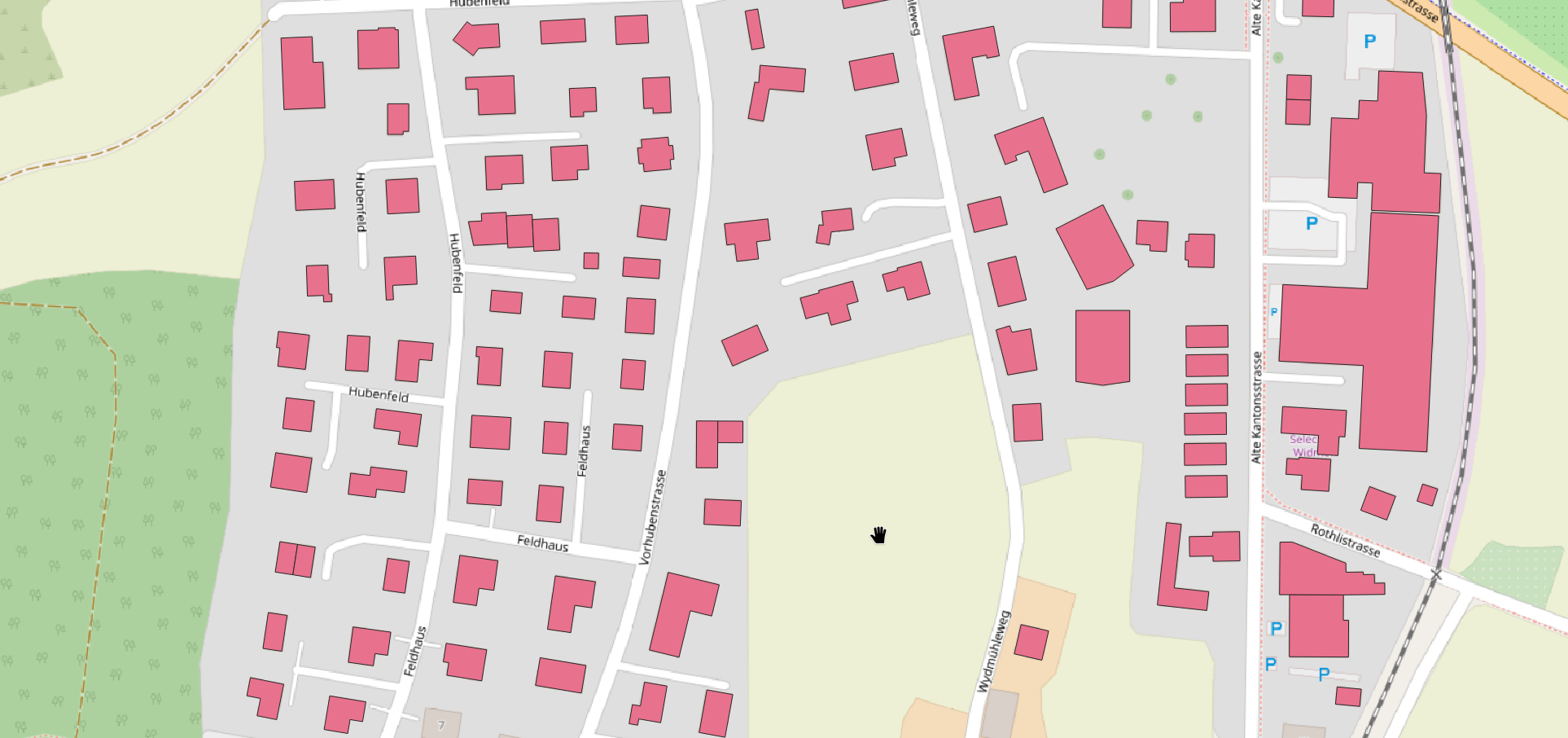
- Geoparquet Downloader will download the bbox containing your viewport and automatically add the Parquet as a layer to your current project.
Dataset
The dataset files below were delivered by Geofabrik on 2026-03-06 (delivery date) in the GeoParquet format (.parquet).
| File | Size | Description |
|---|---|---|
| buildings_a.parquet | 4.3G | Buildings w/ area geometry |
| landuse_a.parquet | 1.9G | Land use w/ area geometry |
| natural_a.parquet | 4.0M | Beaches, glaciers, … w/ area geometry |
| natural.parquet | 246M | Trees, peaks, springs, … as points |
| places_a.parquet | 12M | Regions w/ area geometry |
| places.parquet | 17M | Named places as points |
| pofw_a.parquet | 17M | Places of worship as areas |
| pofw.parquet | 767K | Places of worship as points |
| pois_a.parquet | 176M | Places of interest (schools, parks, …) as areas |
| pois.parquet | 198M | Places of interest (benches, artworks, …) as points |
| railways.parquet | 49M | Railway network w/ line geometry |
| roads.parquet | 2.2G | Road network w/ line geometry |
| traffic_a.parquet | 113M | Traffic areas (parking, …) |
| traffic.parquet | 121M | Traffic points (street lamps, traffic lights, …) |
| transport_a.parquet | 2.1M | Transport areas (airports, taxi parking, …) |
| transport.parquet | 28M | Transport points (bus stops, train stations, …) |
| water_a.parquet | 169M | Water areas (ponds, wetlands, lakes, …) |
| waterways.parquet | 228M | Waterways (rivers, …) |
Documentation
- The GeoParquet format ist described here.
- For documentation of the layer structure see “OpenStreetMap Data in Layered GIS Formats” (PDF).
- To find out more about OpenStreetMap (OSM) and QGIS, among others, take a look at the free OpenSchoolMaps tutorials.
Licensing and Attribution
This dataset is derived from OpenStreetMap and is licensed under the
Open Data Commons Open Database License (ODbL) 1.0. Many thanks to all OpenStreetMap contributors.
Contact Stefan Keller · Terms of Service & Privacy